
 Spotless
Locked areas: what Spotless refuses to delete
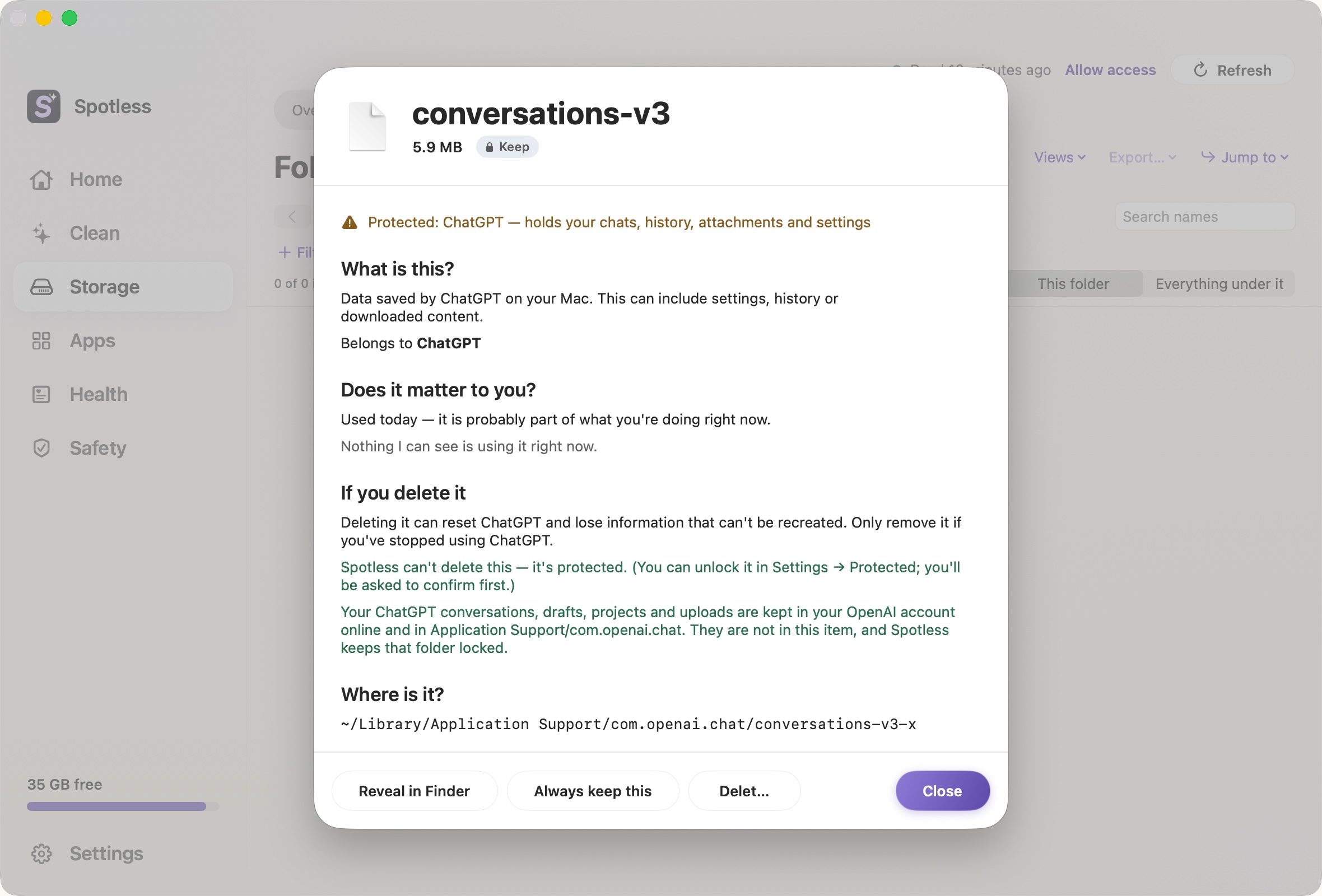
Some folders hold things you cannot get back. Spotless keeps a list of them and refuses to remove anything inside, whatever page it was found on. If you open an item that is locked, the detail window says "Protected", names the owner and gives the reason in plain words, like the ChatGPT example above.
What is locked
- Photos library. The Photos Library package, plus anything under a
.photoslibraryor belonging to the Photos services. It syncs with your iPhone and iCloud, so a delete here can remove pictures everywhere. It is locked by default. You can turn the lock off on the Protected page, after a confirmation. - iCloud and cloud folders.
~/Library/Mobile Documents(iCloud Drive) and~/Library/CloudStorage(Dropbox, Google Drive, OneDrive). Deleting there deletes online too. Both are locked by default and can be unlocked on the Protected page. - Chats and settings of AI and editor apps. ChatGPT, Claude, Claude Code, Codex, Cursor, VS Code, Windsurf and Gemini CLI. Their cache folders (Cache, Code Cache, GPUCache and similar) stay removable. The rest does not.
- Active projects. Folders Claude Code or Codex list as projects, and code folders with a marker such as
.gitorpackage.jsonedited in the last 60 days. - Folders you add yourself. You choose them on the Protected page. Only you can remove them from the list.
Separately, the safety check refuses top-level home folders (Documents, Desktop and so on), credentials folders such as ~/.ssh, and any link that points somewhere other than where it claims to. Only a short list of cache and log locations can ever be removed.
What you can turn the lock off for
Photos, iCloud, cloud folders, AI app data and detected projects each have a switch on the Protected page. macOS system areas never do. Turning it off opens a confirmation where "Keep locked" is the default button and "Turn lock off anyway" is the quiet one. Even with the lock off, deleting still goes through the review sheet and goes to the Trash.
What the lock does not claim
A lock stops Spotless from deleting. It does not hide anything from the scan: the space map still shows sizes. Photos and iCloud contents are read only if you allow it in Settings, off by default.
The manual way
To see what is there, read-only:
du -sh ~/Pictures/*.photoslibrary
ls ~/Library/CloudStorage
du -sh ~/.claude ~/.codex
Delete photos inside the Photos app, never inside the package. For iCloud files, Finder's right-click "Remove Download" frees local space and keeps the file online. Deleting the file itself removes it from every device.
Keep going
- Undo a cleanup and restore files: How to put back files Spotless removed, where they are kept, what cannot be restored, and how scheduled cleaning keeps the same safety net.
- Locked items and the Safety Lock: What a Locked tag means in Spotless, how to release one item or a whole page, how the Safety Lock switch works, and what stays protected whatever you choose.
- Export what would be removed, without removing it: Spotless can write the list of what a clean would remove to a text file, with sizes and reasons, so you can read it first. Nothing is deleted.
- How a Spotless clean works: Scan, look, choose, review, Trash.