
 Spotless
Review what Spotless will remove before it removes it
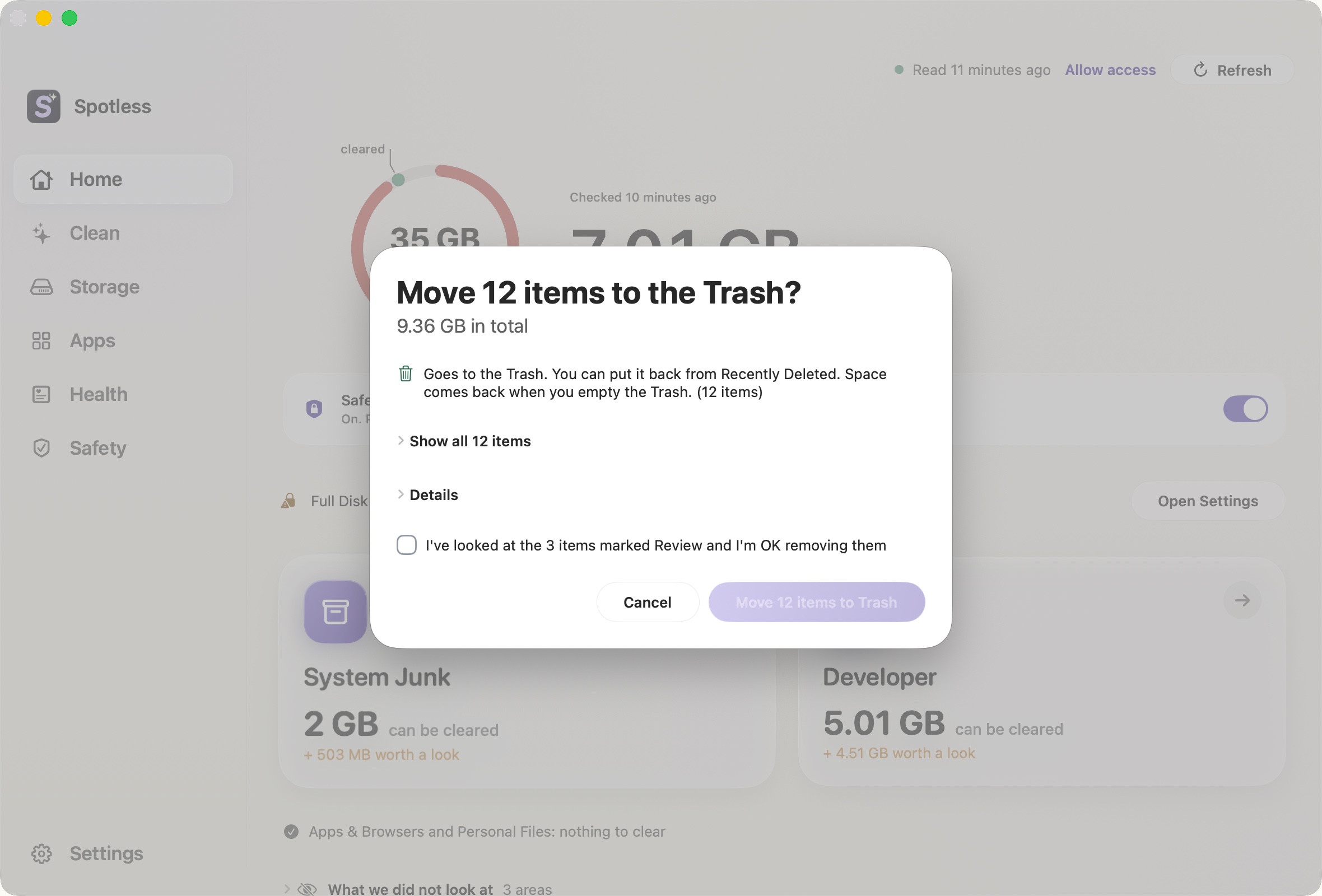
Every clean in Spotless, from any page, ends at the same review sheet. The scan only looks. Nothing is removed until you press the button on that sheet, and the button is named after what it will do.
What the sheet is for
A cleaner is only as safe as the last screen before it deletes. Spotless puts the whole list there: every item, with its size and a verdict of "Safe to remove" or "Review", sorted so the items needing attention come first and the biggest come first within each group. A long list collapses to a count ("Show all 12 items") but is never truncated. There is also a total size and a "Details" section that can copy or save the list as text or CSV (see Export What Would Be Removed).
Trash or deleted for good
The title and the button say which one applies. "Move 12 items to the Trash?" means you can put everything back from Recently Deleted, and the space returns when the Trash is emptied. "Delete 4 items for good?" means it cannot be undone, and the button turns red.
By default everything goes to the Trash. One setting changes that: "Delete rebuildable junk for good instead of using the Trash" in Settings, off by default. When on, caches and logs are deleted at once. Your own files still go to the Trash. Two other cases are always for good and always said so on the sheet: items already in the Trash, and system-level items that need your Mac password.
Nothing ticked, items marked Review
Spotless does not tick items for you after a scan. You choose, and what you choose goes into a basket. The one-at-a-time card view has Keep and Add to basket, and adding deletes nothing.
If the basket holds items marked "Review", the sheet adds a box you must tick ("I've looked at the 3 items marked Review and I'm OK removing them") before the button works. That is the greyed button in the screenshot. Items marked Keep never reach the sheet.
What happens after you confirm
Each item is checked once more just before it moves. If it changed since the scan, was replaced by a link, or sits in a locked area (see locked areas), it is skipped and the result sheet says why, grouped as "In use by another app", "No permission", "Changed since the scan" or "Protected". The headline never says "freed" for a Trash move. It says how much was moved to the Trash, and if the numbers look odd, the Details section explains shared clones, hard links and local snapshots that can hold space back.
The manual way
In Finder, select the files, press Cmd Delete, and open the Trash to look before emptying. Finder's "Put Back" works on anything you trashed. Check sizes first in Terminal, read-only:
du -sh ~/Library/Caches/* | sort -h | tail
ls -la ~/.Trash
rm in Terminal skips the Trash and is permanent. Spotless never uses it for your own files by default. If you want the plan on paper before anything moves, the review sheet can export it.
Keep going
- Undo a cleanup and restore files: How to put back files Spotless removed, where they are kept, what cannot be restored, and how scheduled cleaning keeps the same safety net.
- Locked items and the Safety Lock: What a Locked tag means in Spotless, how to release one item or a whole page, how the Safety Lock switch works, and what stays protected whatever you choose.
- How a Spotless clean works: Scan, look, choose, review, Trash.
- Pricing: Every feature for $9, once.